


Ignition Control Room Werk Nord
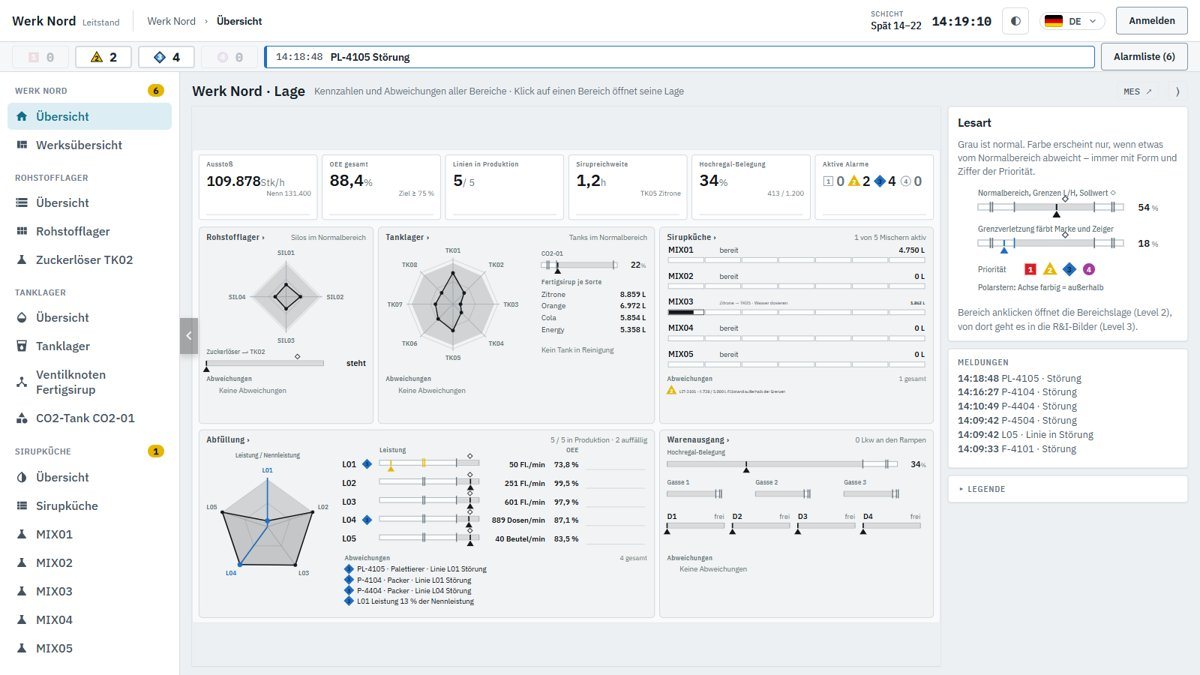
Output, OEE and syrup coverage at a glance, colour only for deviations, and prioritised alarms. One click takes you from the plant overview into any area – right down to the P&ID.
Try the Werk Nord control room live
Live demo
A simulated beverage production from raw material store to loading – implemented with Ignition by Inductive Automation and the MES modules from Sepasoft. Right in your browser, no installation required.
Output, OEE and syrup coverage at a glance, colour only for deviations, and prioritised alarms. One click takes you from the plant overview into any area – right down to the P&ID.
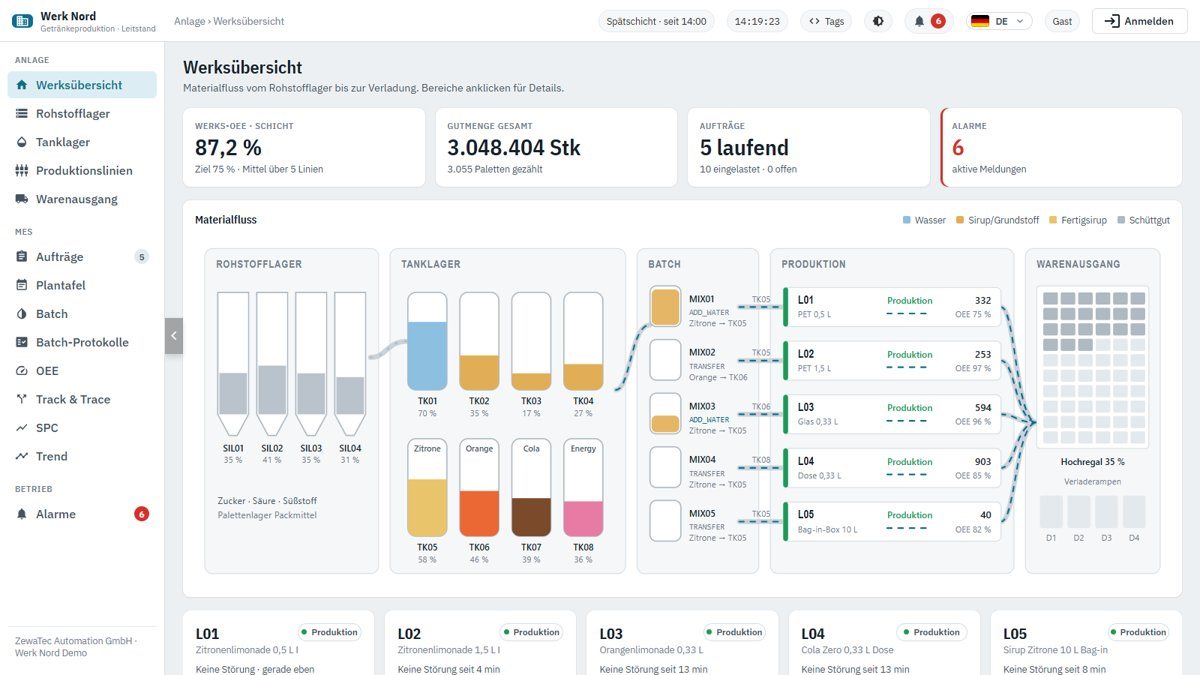
Material flow from raw material to loading, orders and scheduling board, batch control with batch records, OEE analysis per line, Track & Trace and statistical process control (SPC).
Quick guide
A few stops for your first tour of both demos.
Interactive
From raw material store to goods issue. Select a station – we’ll show you where to find it in the demos.
On the go
The mobile app for the demo: lines, faults, orders, track & trace and warehouse – built for the smartphone.
Scan the QR code with your phone camera or open it directly.

Behind the scenes
How the demo was built – and a tool you can use right away with your own figures.
From the first call to handover: what the engineers planned, built and tested in the digital twin – with six real findings.
Calculate your line’s OEE and see in the loss waterfall where the time goes. Everything is calculated in your browser; no data is sent.
Good to know
Anyone can view the demo. You can get operator access for 14 days via the contact form – you then sign in directly in the embedded demo.
Werk Nord is a simulated beverage production – not a real plant. All values come from the simulation.
Control room: best from 1440 px wide, e.g. on a full HD monitor – at least 1280 px. MES: from 1024 px, also on tablets. On a smartphone: the Werk Nord Mobil app.
Your plant
Let’s talk – from the PLC and control system to the MES.
Your contacts: Michael Rattmann and René Ries, Managing Directors